PC Gaming in Your Pocket
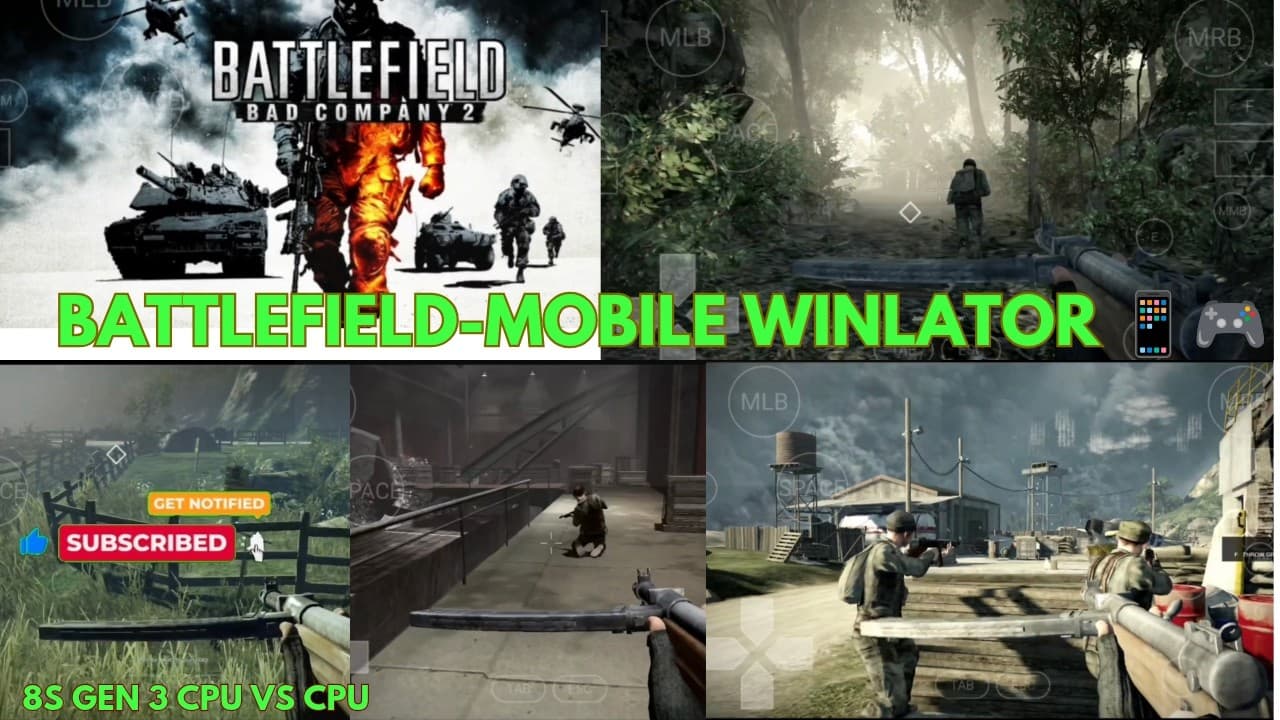
Battlefield Bad Company 2 is widely regarded as one of the best shooters in the franchise, featuring an incredible campaign and destructive environments. Today, we're taking it to the next level by running the full PC version of the game directly on an Android device using the powerful Winlator Emulator.
Minimum & Recommended Requirements
Emulating modern PC games requires substantial processing power. Here's what you need to run Bad Company 2 smoothly:
- Minimum: Snapdragon 845 / 6GB RAM
- Recommended: Snapdragon 870 or higher / 8GB+ RAM (such as Poco F6, Realme GT series)
- Emulator version: Winlator 6.1 or newer
- Graphics Driver: Turnip + Zink for Adreno GPUs
Winlator Container Configuration
To prevent graphics glitches and crash loops, make sure to apply the following container settings in Winlator:
- Screen Resolution: Set to 800x600 or 1024x768 to maximize FPS performance.
- Graphics Driver: Select Turnip (Adreno) with DXVK version 2.2.
- CPU Affinity: Bind to big/performance cores (usually cores 4-7 on Snapdragon processors).
- DXVK Config: Set DXVK HUD to compiler info to monitor frame-rates.
Pro tip: Turn off Shadows and set Effects to Medium in the in-game settings. This single change can bump your performance from a laggy 30 FPS to a rock-solid, smooth 60 FPS!
Controller Layout Setup
Since the PC version doesn't support native mobile touch controls, we configure custom virtual buttons on Winlator's layout manager:
- Map the left virtual stick to W, A, S, D for movement.
- Map the right virtual stick to mouse movement for aiming.
- Place floating touch buttons for shoot (Left Click), aim (Right Click), jump (Space), and reload (R).
Performance Verdict
On high-end Snapdragon devices, Battlefield Bad Company 2 runs at a solid 60FPS with minimal stutters. The destructive environments and physics load perfectly, showcasing the incredible progress of PC emulation on Android devices.